

We’ve had parishioners reach out to us with questions about making donations online to support our ministries! Technology is not always the easiest to navigate, so we figured we’d walk you through the steps.
Donations can be made to individual ministries, or directly to the church – if this week is any indication, we’ll be running up quite the air conditioning bill this year! Here’s how to get started:
Step 1) First, go to the St. Paul the Apostle homepage using the following link: www.stpaultheapostle.org
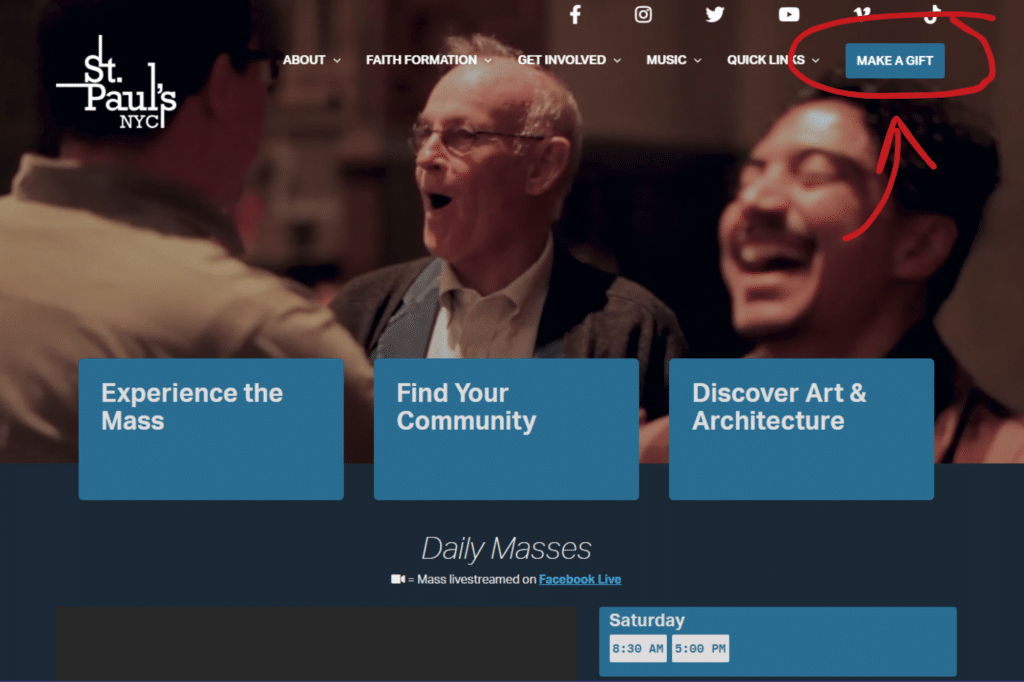
Step 2) Click on the Make a Gift button on the upper right corner (as shown above) and the following screen will appear:
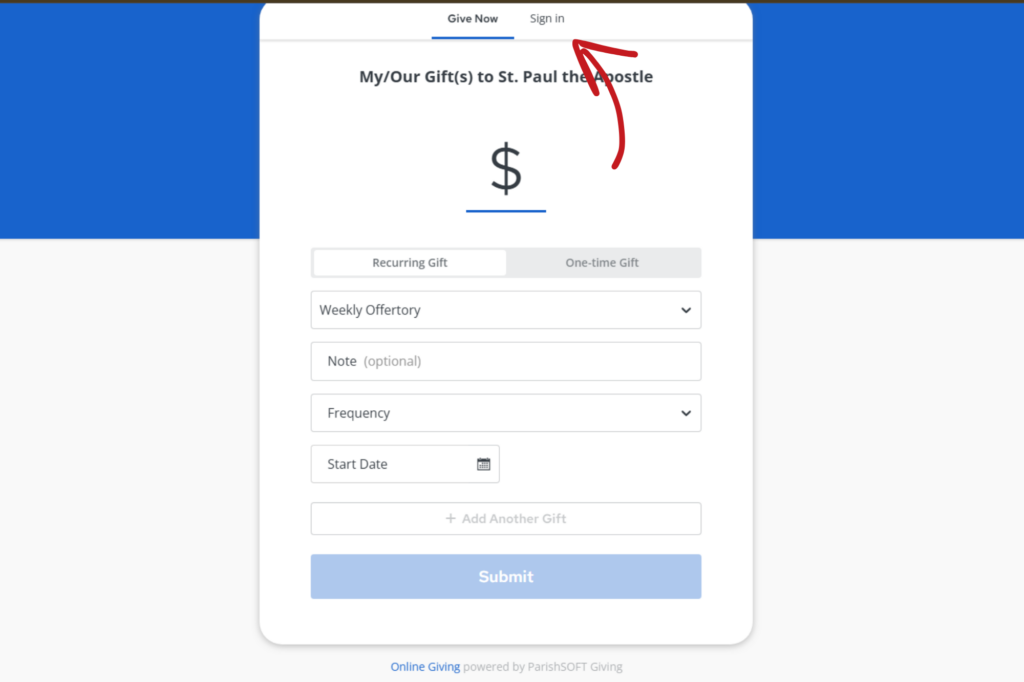
Step 3) Click on “Sign in” at the top of the menu and the screen will change to the following:
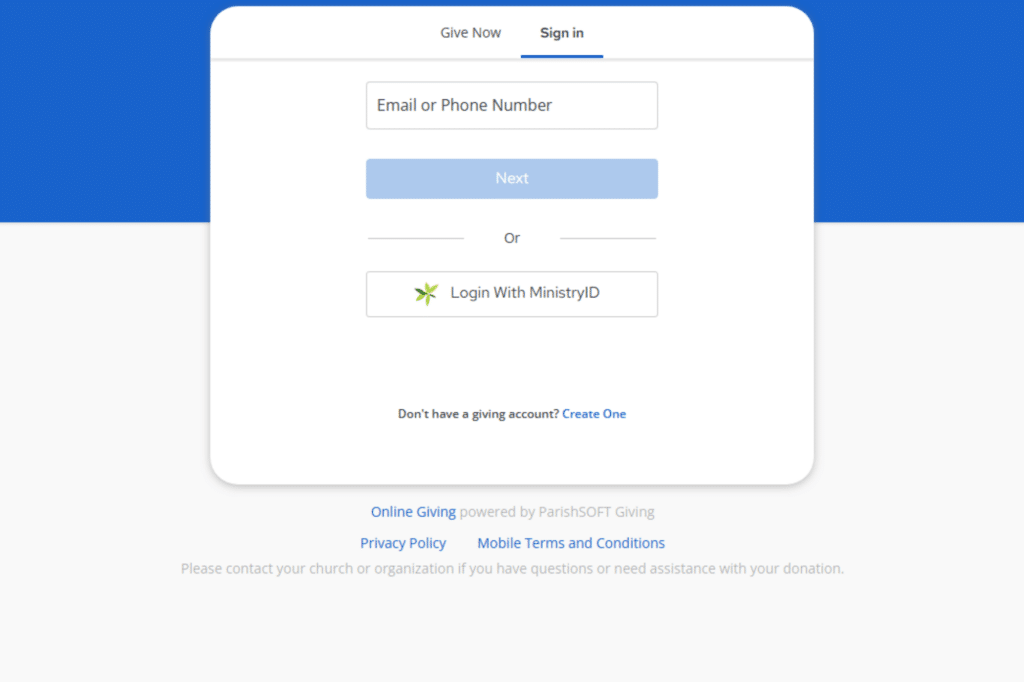
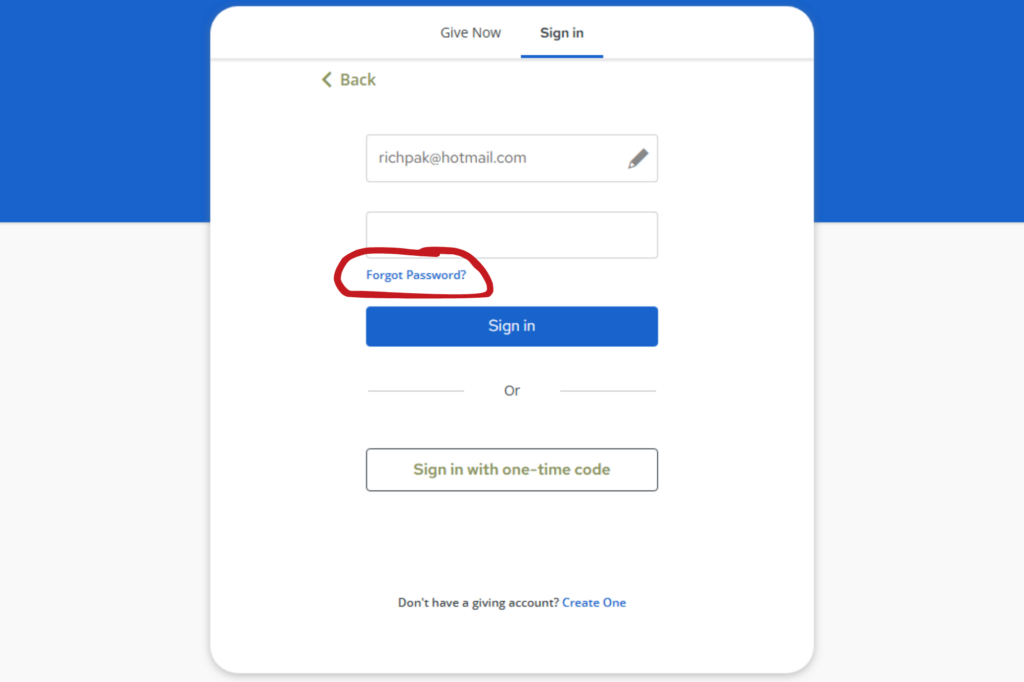
Step 4) Input the email and click “Next” and the password screen will appear. If you don’t remember your password or misplaced that slip of paper you have it written on (who doesn’t?), click on the “Forgot Password?” button and you will receive an email to reset it.
Step 5) Once you are logged-in, you can choose your payment options and other functions.
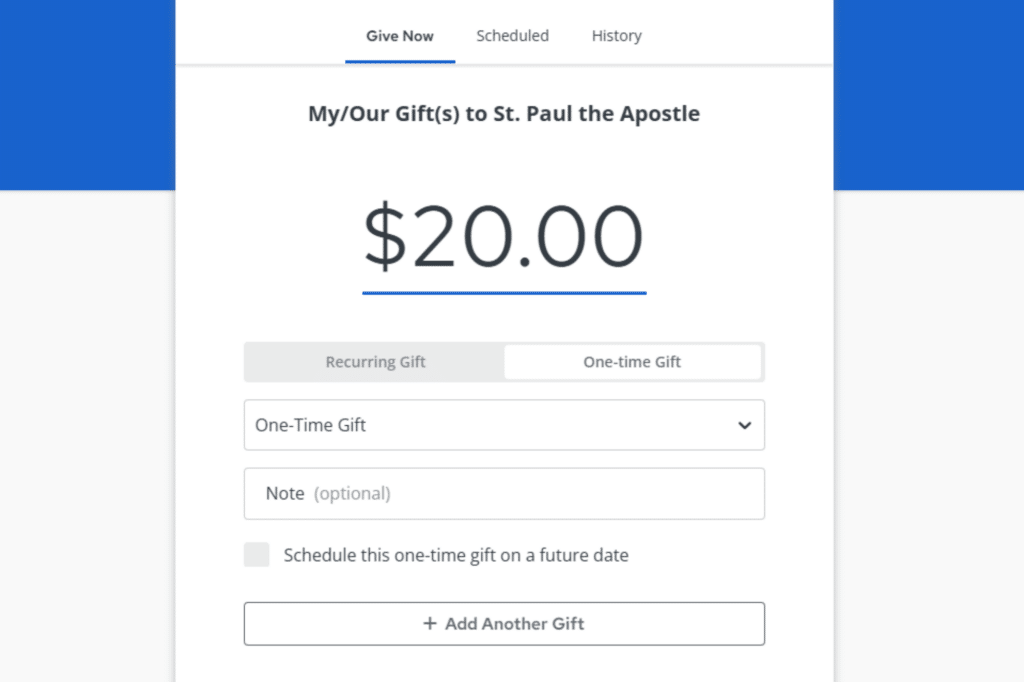
Right under the donation value, you’ll can choose between making a recurring donation or a one-time gift. If you’d like to make a donation to a particular ministry, click the drop-down menu and choose the ministry of your choosing.